
Changelog
New features, fixes and improvements shipped in Resume4u, from the first Free Resume Builder to now.
Version 3
October 2026 to now
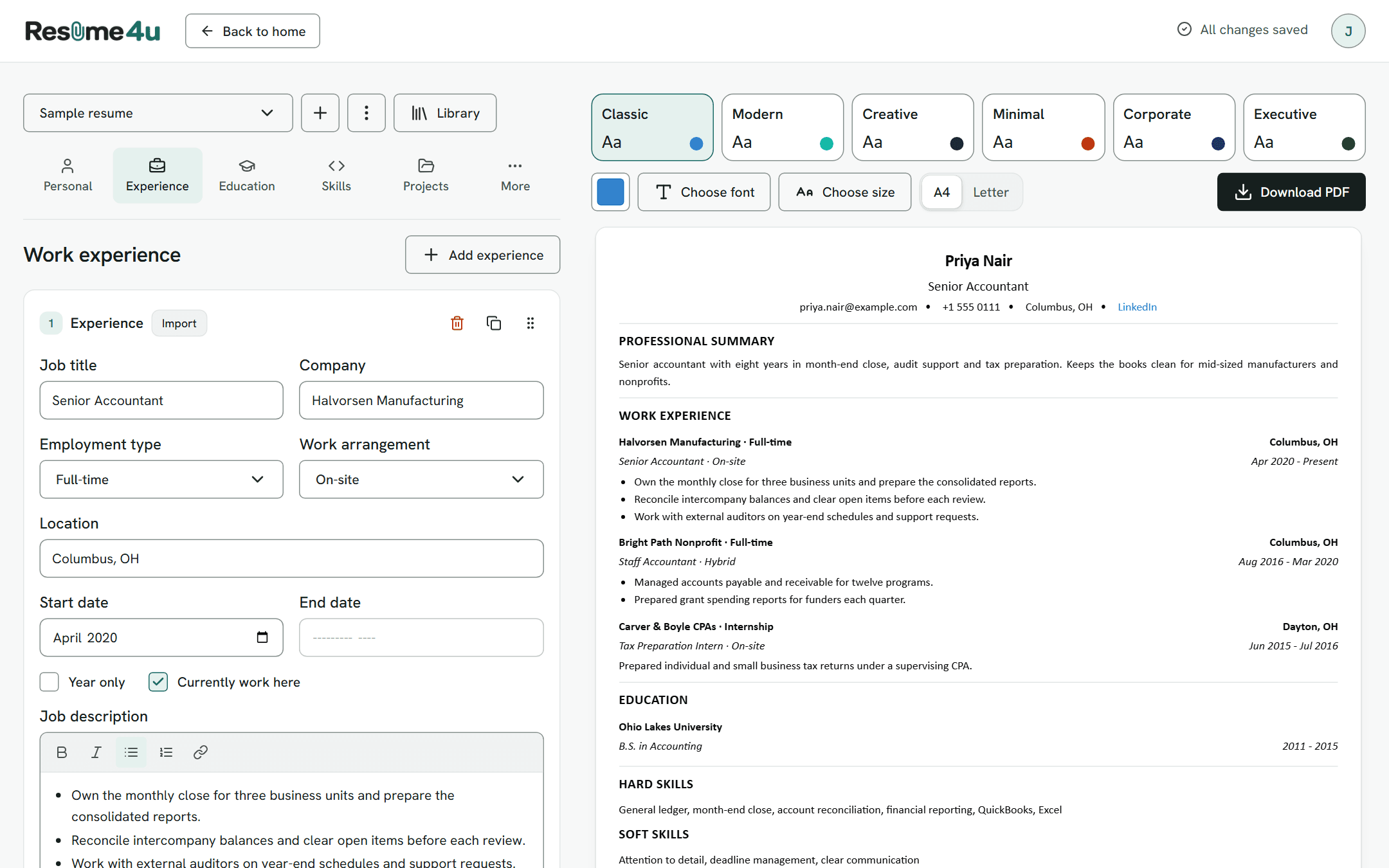
The current version, with a new design, accounts, and resumes saved to your account.
3.4.1
- Added a link color picker to Classic and Minimal
3.4
- Added a step that asks new accounts to name their first resume before anything is saved
- Replaced the library picker with an Import menu on every entry card, in every section except Personal, that fills the card from your library
- Added drag and drop to reorder entries in the forms, with mouse, touch or keyboard
- Removed the Move up and Move down buttons, replaced by a drag handle on each card
- Added Duplicate to the resume menu, which copies the open resume
- Added Duplicate to each entry card, which copies the entry under the original
- Added experience, education, skills and custom sections to the library
- Removed the Clear data button from every section except Personal info
- Note: resume names are limited to 80 characters
3.3.1
- Added limits to keep the free service running: 10 resumes per account, and a size cap on each resume and on the library
- Fixed switching or removing a resume copying the previous resume's paper size, font size and color into the next one
- Fixed links in the description editor not always following the editor's link settings
3.3
- Changed saving: resumes and your library now save to your account as you type
- Removed saving resumes in your browser
- Note: resumes saved in a browser before this were not moved to accounts
3.2
- Required an account to build
- Note: until 3.3, resumes were still saved in your browser
3.1
- Added A4 and US Letter paper sizes
- Added a font size setting
- Added a preview layout choice, continuous or page by page, with previous and next buttons once a resume runs past one page
- Added page breaks in the preview that match the PDF
- Added a Move to top button under the preview
- Fixed PDF text breaking lines in different places than the preview, including after dashes
3.0
- Redesigned the builder
- Added a Preparing PDF label to the download button, and a message when the PDF cannot be created
Version 2
February to September 2026
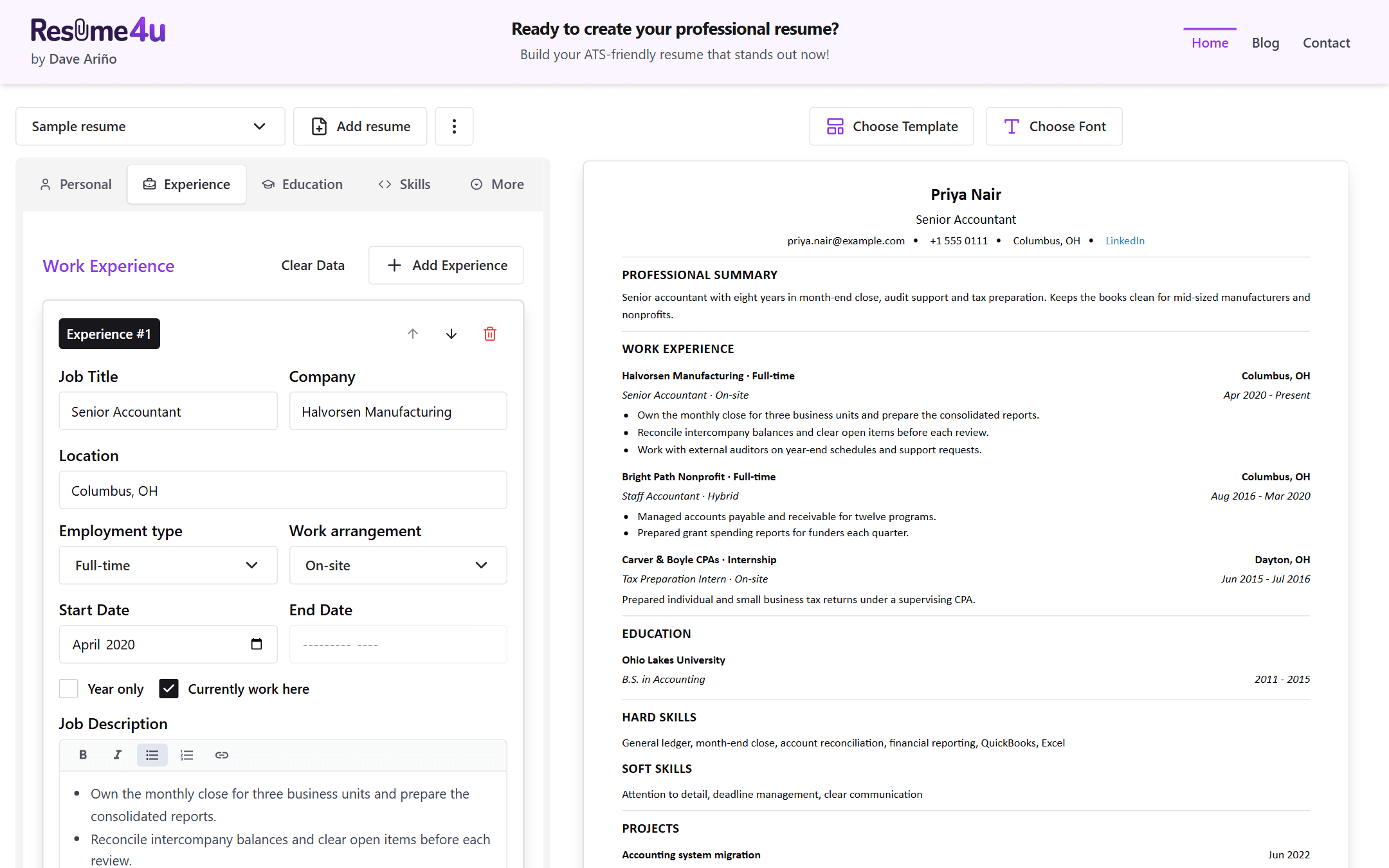
The builder renamed Resume4u, with templates, fonts, custom sections and a library.
2.5.1
- Changed the library to show which projects and certificates are already on your resume
- Replaced the Add Selected button in the library with checkboxes that add and remove entries as you tick them
- Moved custom sections to the left column in the Executive template
2.5
- Added a work arrangement choice to each job: on-site, remote or hybrid
- Added a library of projects and certificates to reuse
- Added search to the library
- Added a Manage Library dialog to edit and delete saved projects and certificates
- Added collapsible form cards that open with a click anywhere on them
- Improved collapsible form cards: a card scrolls into view when it opens
2.4.1
- Fixed bold text in descriptions not showing in the PDF
- Fixed thin white lines at the edges of the colored header and sidebar in some PDF templates
- Fixed PDF downloads that were sometimes incomplete or an older copy
2.4
- Added several named resumes, with add, rename and delete
- Added custom sections
- Added hard, soft and custom skill types
- Added a link button to the editor
- Added automatic links for web addresses typed in the editor, and clickable links in the PDF
- Replaced the single-line skill entry with the rich text editor
- Removed the Quick Add list of common skills
- Changed date fields to pick a month and year instead of a full day
- Added a Year only option to job and education dates
- Added an employment type to each job
- Added a link to each certificate
- Changed links in every template to use the accent color
- Added a confirmation before a resume is deleted, with a Don't show me this again option
- Note: the last resume cannot be deleted
2.3
- Added an accent color picker for each template
- Changed links in the Modern template to follow the accent color
- Fixed the Modern template's divider showing only when a summary was written
- Fixed PDF fonts not loading outside Windows
- Changed the preview to load the five fonts from the site
- Added a Clear data button to each section
2.2
- Added five fonts: Times New Roman, Arial, Calibri, Verdana and Georgia
- Added the Minimal, Corporate and Executive templates, for six in all
- Improved PDF page breaks so an entry is not split across two pages
- Added italic and bold italic for each font in the PDF
- Changed the layout of experience and education entries in the templates
2.1
- Added a rich text editor for descriptions, with bold, italic and lists
- Added bold, italic and lists from descriptions to the PDF
- Added Move up and Move down buttons to every card
- Added saving your resume in your browser for 30 days
2.0
- Added a template selector with three templates: Classic, Modern and Creative
- Changed the PDF to be made on the server instead of in your browser
Version 1
September 2025
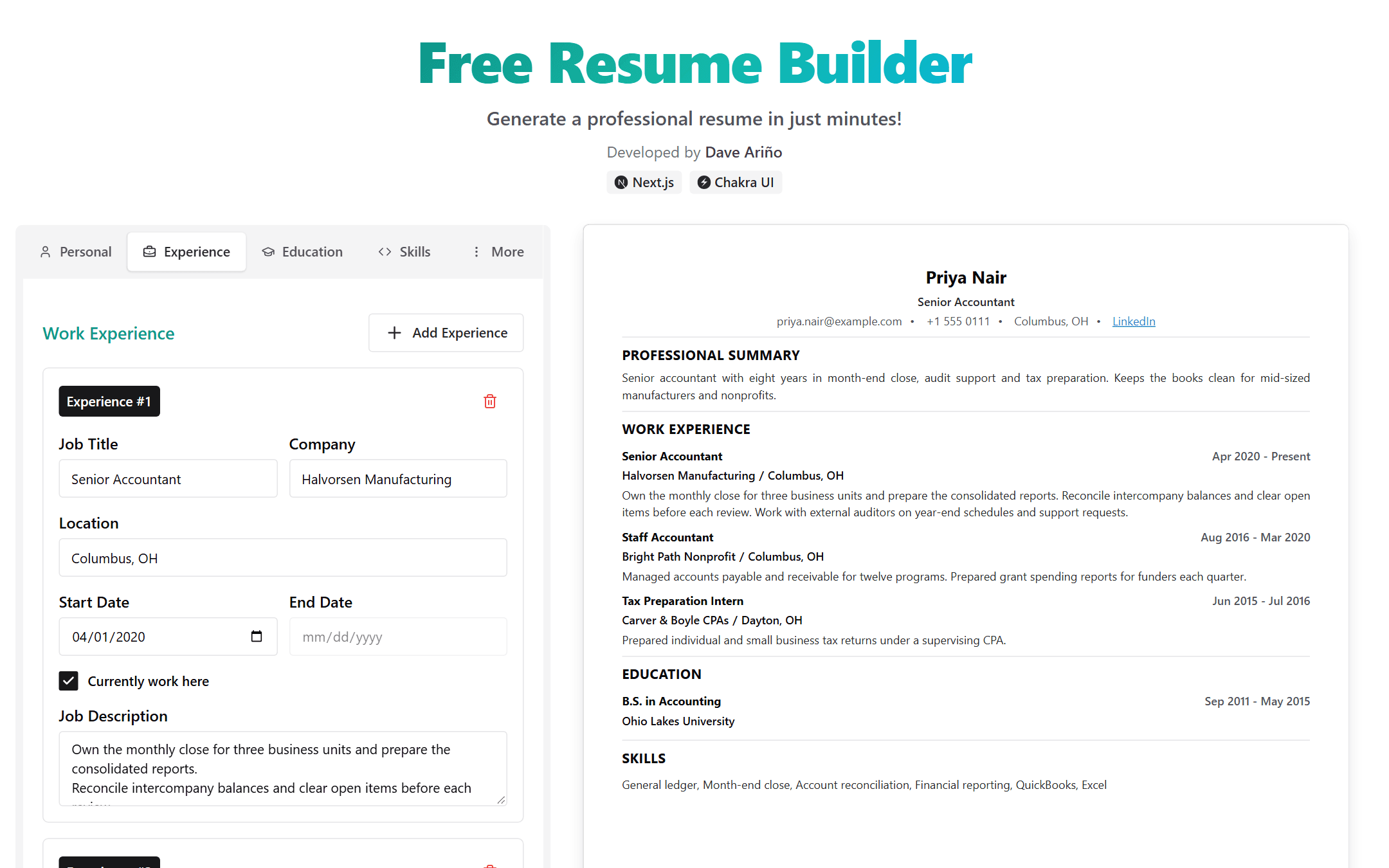
The original Free Resume Builder: one page with a form beside a live preview.
1.0.1
- Simplified the forms
- Improved the colors and spacing in the PDF
- Renamed the GPA field to GWA
1.0
- Added the first working builder: a form with a live preview
- Added PDF download, made in your browser
- Added a Currently work here checkbox to each job, which shows Present as the end date
- Replaced the Technical Skills and Soft Skills groups with one Skills list
- Changed the website and LinkedIn to show as Portfolio and LinkedIn links
- Note: there was one resume layout, with no template or font choices, and nothing was saved